






SplitkoTHE APP FOR SPLITTING & BUDGETS
Download
1OFFICE PIZZA 2SHARED FLAT 3VOLLEYBALL 4RENOVATION 5HOME BUDGET 6SAILING TRIP

HOW DO WE
SPLIT IT?

Splitko splits shared expenses, scans receipts and keeps an eye on your budget. Watch our stories — one of them is yours.
Expense splittingReceipt scanningHome budgetWho owesWarrantiesPrice history
App Store Google Play More stories → Scroll ↓
STORY 1 / 6 · OFFICE

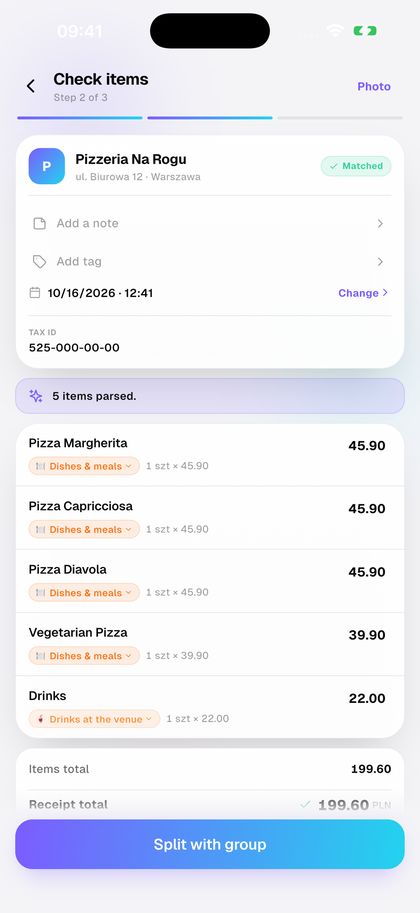
Pizza for
199.60

Scan. Split. Done.
SAME PIZZA · WITH SPLITKO
1:42 PM · PIZZA'S HERE
I'm scanning the receipt. Your share is on your phone.
1:43 PM
Pizza · Friday
TOTAL · 6 PEOPLE
199.60 PLN
5 of 6 settled
J
Janek−33.27
O
Ola33.27 ✓
K
Kuba33.27 ✓
I
Iza33.27 ✓
+ Piotr · settled
Settle up
3:10 PM · SAME DAY
Everyone paid back before the pizza got cold.
DO IT YOURSELF · 4 STEPS

Split the pizza in Splitko

  1. Scan the receipt. AI reads every line.

    1Scan the receipt. AI reads every line.

    Add group expense → Scan Receipt · AI
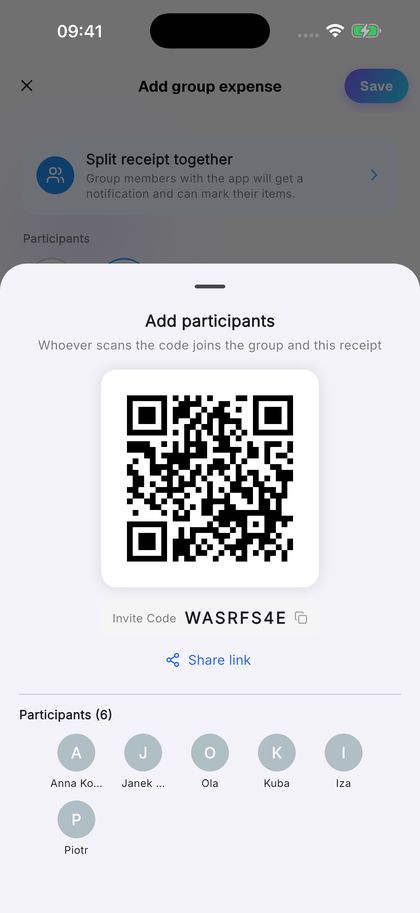
  2. Show the QR code. Colleagues join the bill.

    2Show the QR code. Colleagues join the bill.

    Split with group → Add participants
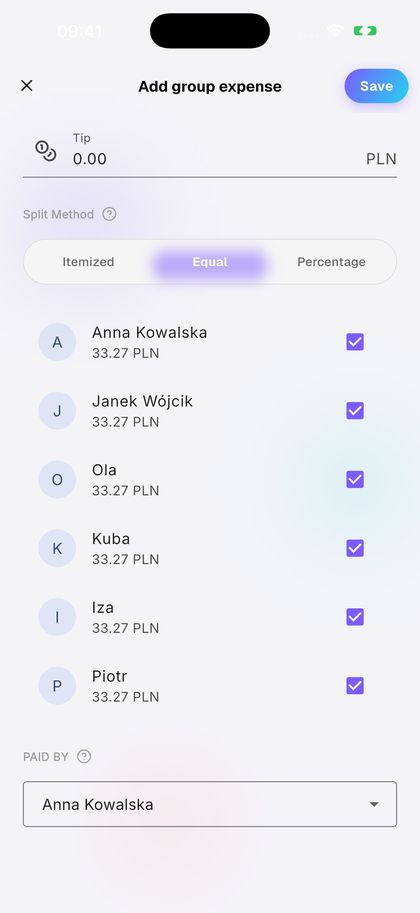
  3. Split equally or by item.

    3Split equally or by item.

    Split Method → Equal
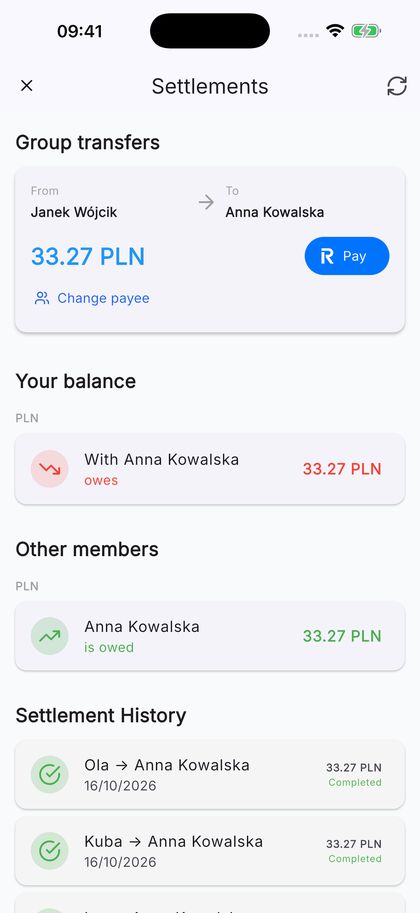
  4. Everyone pays back with one tap in Revolut.

    4Everyone pays back with one tap in Revolut.

    Settlements → Pay

STORY 2 / 6 · THE FLAT

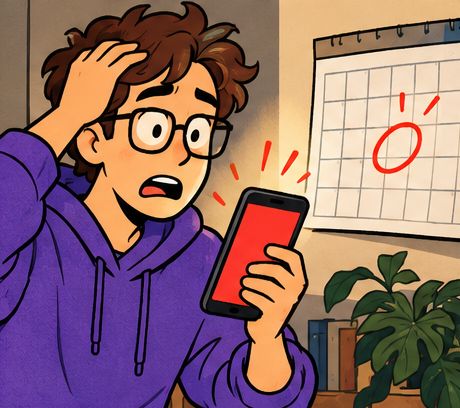
Third time
in a row

No more mental math.
SAME FLAT · WITH SPLITKO
SATURDAY · 10:15 AM
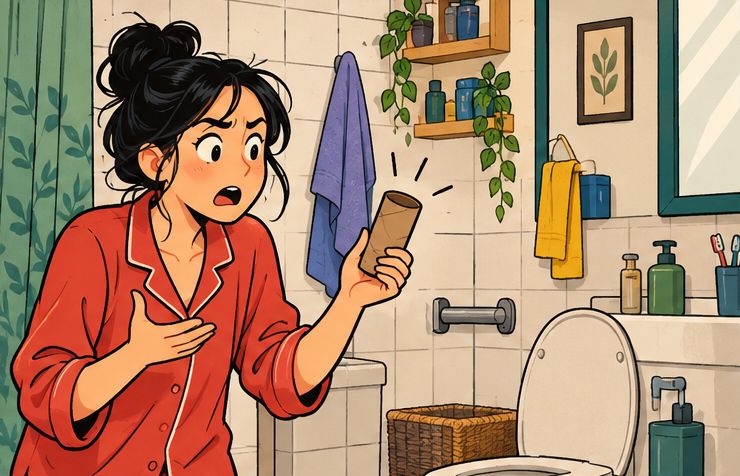
Bought the loo roll. Logged before I put it away.
1 NOVEMBER
Flat · balance
SPENT · OCTOBER
3,894.79 PLN
RentPowerInternetmonthly
W
Wiktor+46.30
K
Kasia−31.10
T
You−15.20
Add expense
EVERY MONTH
Everyone logs what they paid. The balance does the maths.
DO IT YOURSELF · 4 STEPS

Share the flat's costs in Splitko

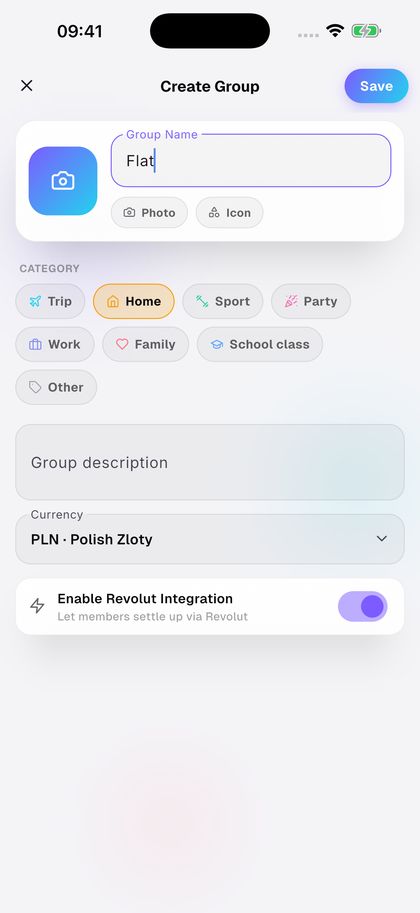
  1. Create a group for the flat.

    1Create a group for the flat.

    Add → New group → Create Group
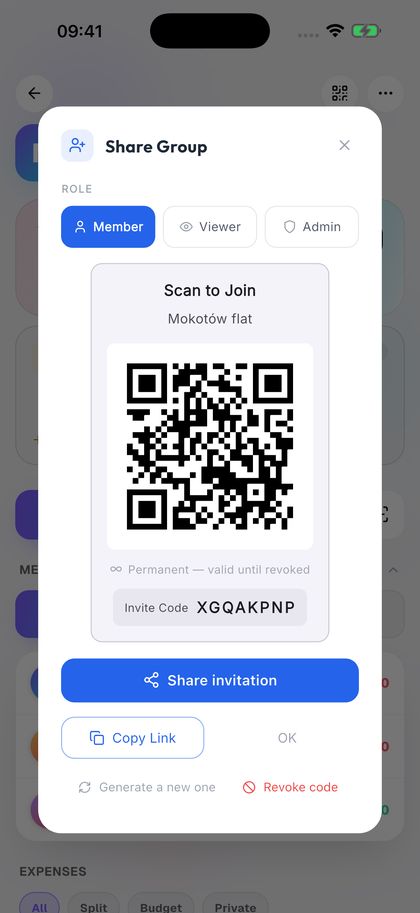
  2. Invite your flatmates with a QR code.

    2Invite your flatmates with a QR code.

    QR code → Share Group
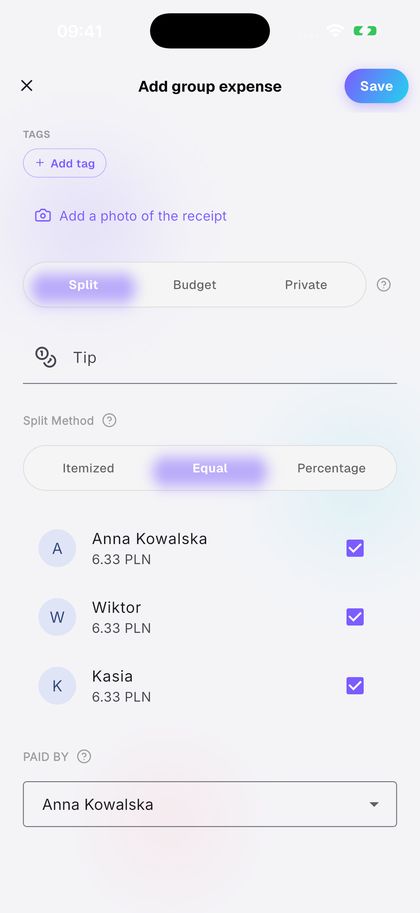
  3. Add an expense. Splitko splits it equally.

    3Add an expense. Splitko splits it equally.

    Add Expense → Equal
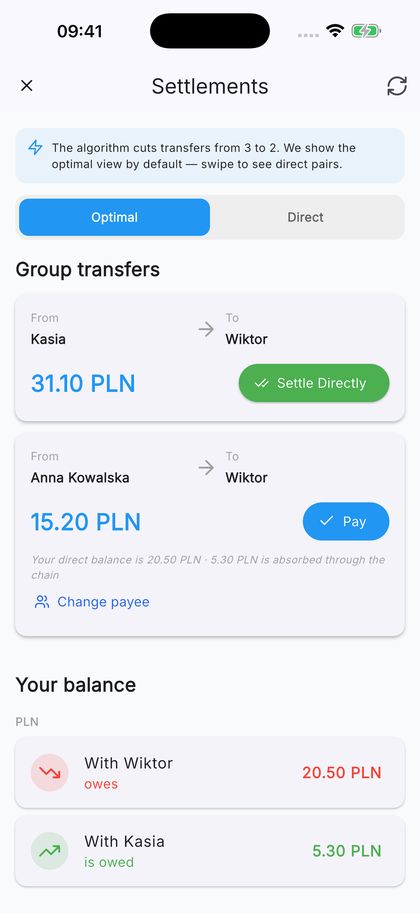
  4. Settle up with the fewest transfers.

    4Settle up with the fewest transfers.

    Settlements → Pay

STORY 3 / 6 · SPORTS HALL

Who still owes
for the quarter?

Team budget. No chasing.
SAME TEAM · WITH SPLITKO
BEFORE THE GAME
I can see who owes. One tap sends a reminder.
WEDNESDAY · 7:55 PM
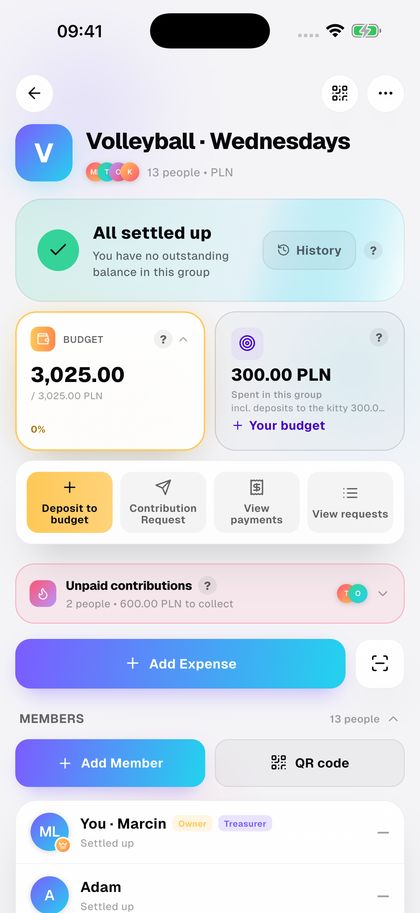
Volleyball · Wednesdays
BUDGET · Q4
3,025.00 PLN
2 people · 600.00 PLN to collect
OWING · 2 · ONE-OFF · 1
T
Tomek−300.00
O
Ola−300.00
K
Kamil · stand-in+25.00
Send payment reminder
END OF QUARTER
Quarter closed. Game on.
DO IT YOURSELF · 4 STEPS

Run the team kitty in Splitko

  1. Collect money in the team budget.

    1Collect money in the team budget.

    BUDGET card
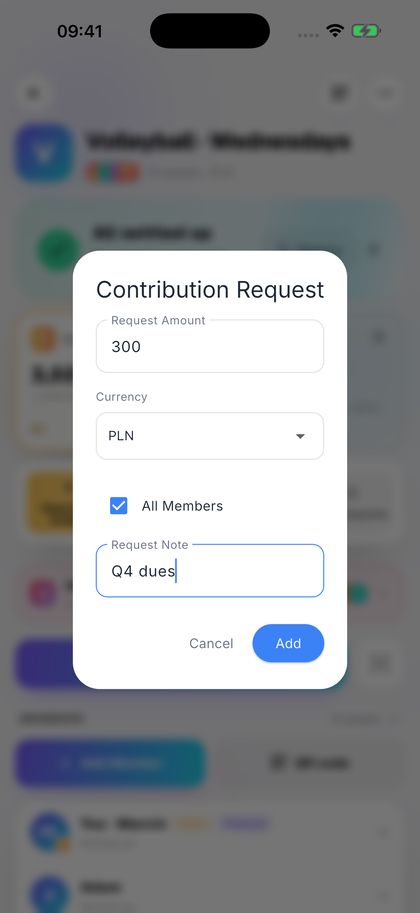
  2. Send one contribution request to everyone.

    2Send one contribution request to everyone.

    BUDGET → Contribution Request → All Members
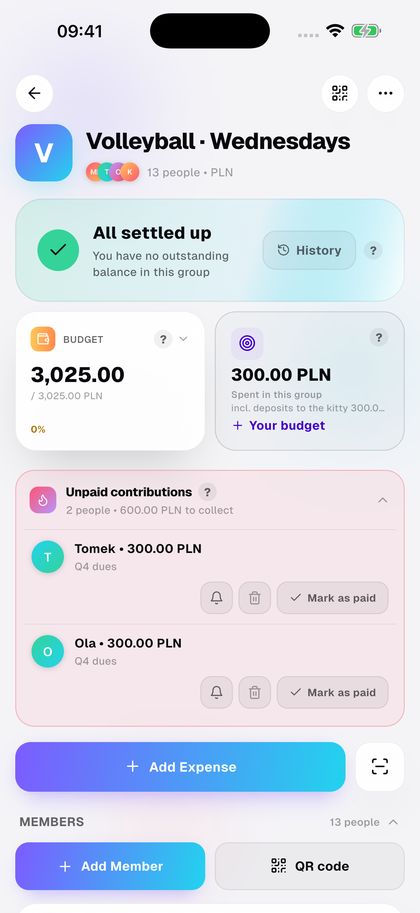
  3. See who hasn't paid yet.

    3See who hasn't paid yet.

    Unpaid contributions
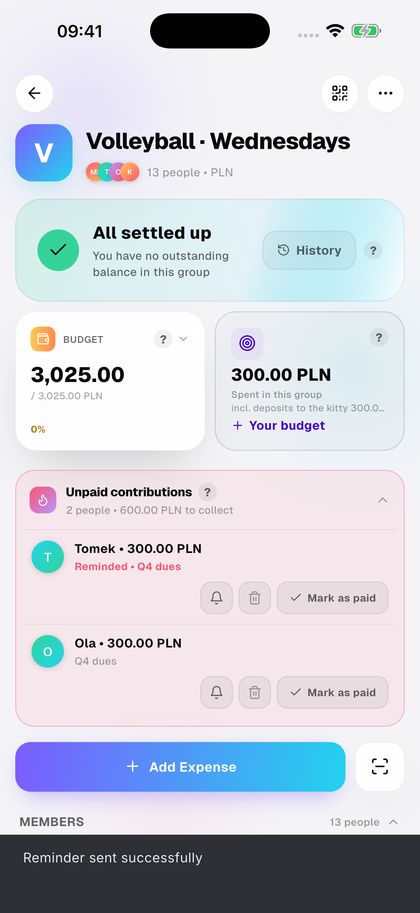
  4. Send a reminder with one tap.

    4Send a reminder with one tap.

    Unpaid contributions → bell

STORY 4 / 6 · HOME

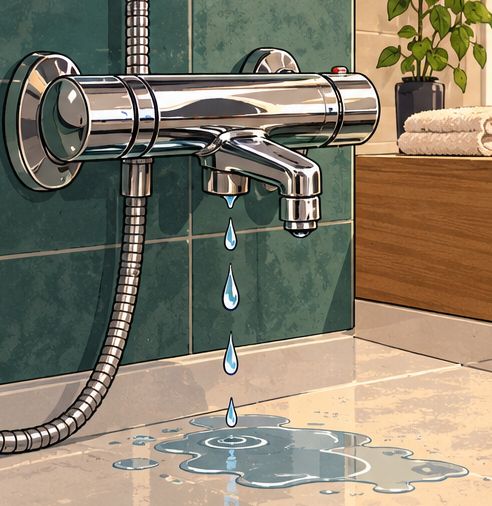
The receipt
that faded

The receipt data won't fade.
SAME RECEIPT · WITH SPLITKO
MARCH · AT THE CHECKOUT
I scan the receipt before I leave the shop.
7 MONTHS LATER
Bathroom renovation
SPENT · TAG
18,420.00 PLN
all time · Home
WARRANTIES
B
Mixer · until 03.20281,249.00
K
Shower · until 05.20282,380.00
L
Mirror · until 06.2027640.00
Mixer: 509 days left
Scan receipt
WARRANTY CLAIM
Date, shop and price are on my phone. Claim filed in 5 minutes.
DO IT YOURSELF · 4 STEPS

Track the renovation in Splitko

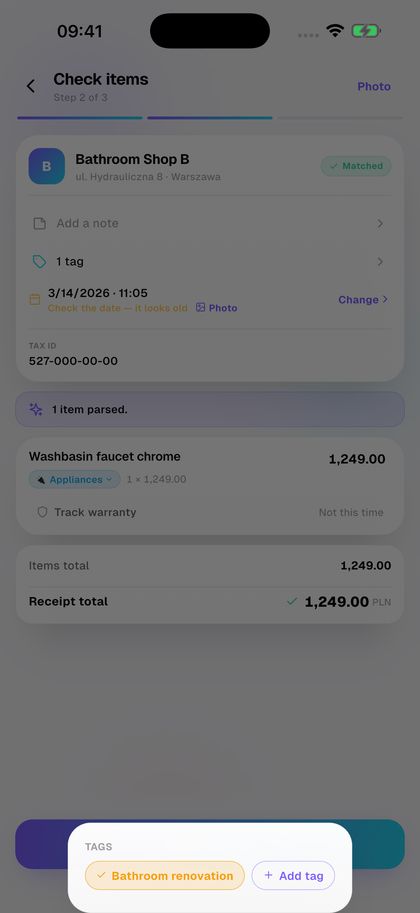
  1. Scan the receipt and tag it.

    1Scan the receipt and tag it.

    Scan receipt → Check items → Add tag
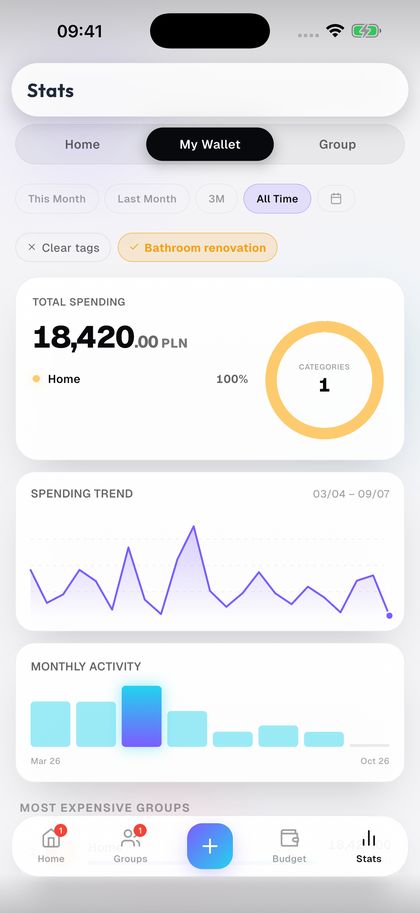
  2. See what the whole renovation cost.

    2See what the whole renovation cost.

    Stats → My Wallet → All Time → tag
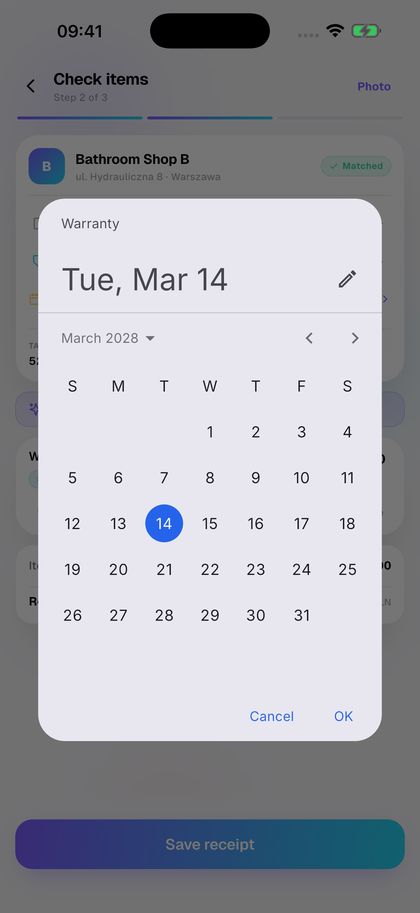
  3. Save the warranty straight from the receipt.

    3Save the warranty straight from the receipt.

    Check items → Track warranty
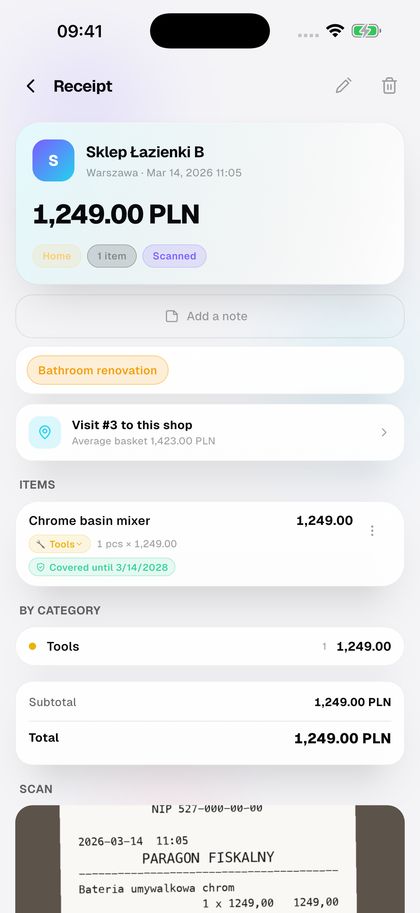
  4. For a claim, the receipt is on your phone.

    4For a claim, the receipt is on your phone.

    Budget → Warranties → item

STORY 5 / 6 · HOME · ALL MONTH

Until
payday

Every złoty in its place.
SAME MONTH · WITH SPLITKO
DAY BY DAY
Every expense gets its category right away.
20 OCTOBER
Your budget
LEFT · OCTOBER
1,364.00 PLN
Butter: 1.20 below its 3-month average
CATEGORIES
J
Food1,840 / 2,000
T
Transport410 / 600
R
Fun290 / 300
See statistics
UNTIL PAYDAY
It's the 20th and the budget adds up.
DO IT YOURSELF · 4 STEPS

Keep a home budget in Splitko

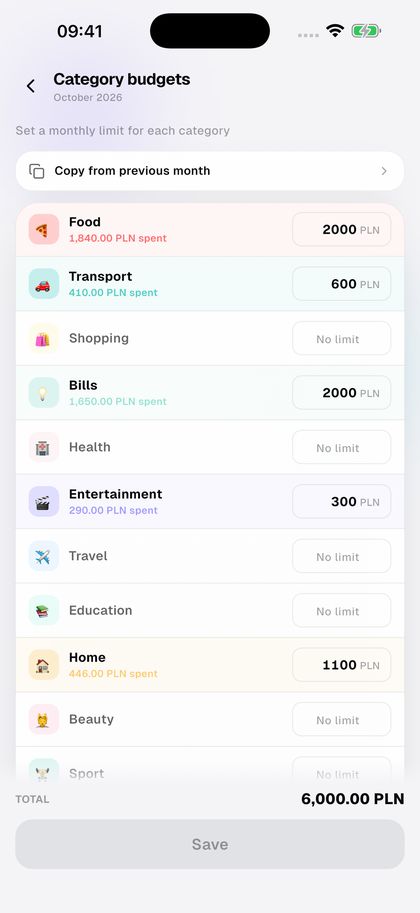
  1. Set a limit for each category.

    1Set a limit for each category.

    Budget → Edit budget → Category budgets
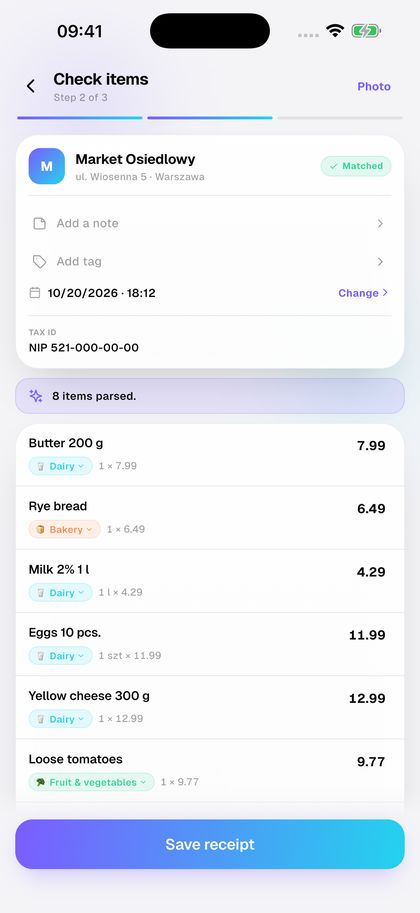
  2. Scan a receipt. Lines land in categories.

    2Scan a receipt. Lines land in categories.

    Scan receipt → Check items
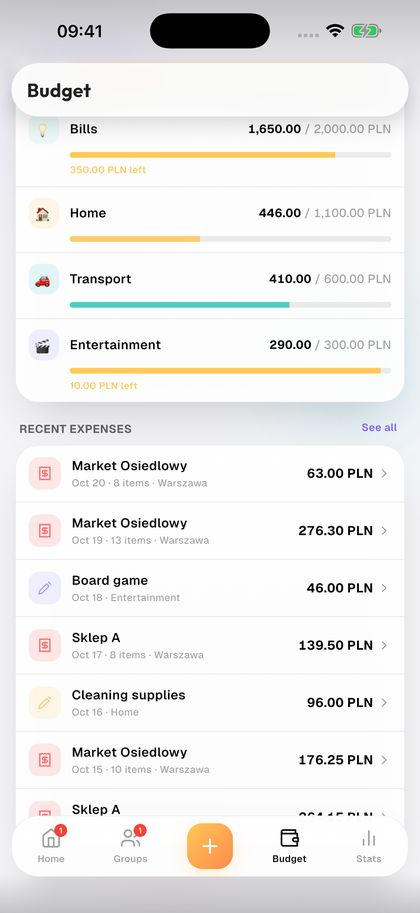
  3. See what's left in each category.

    3See what's left in each category.

    Budget
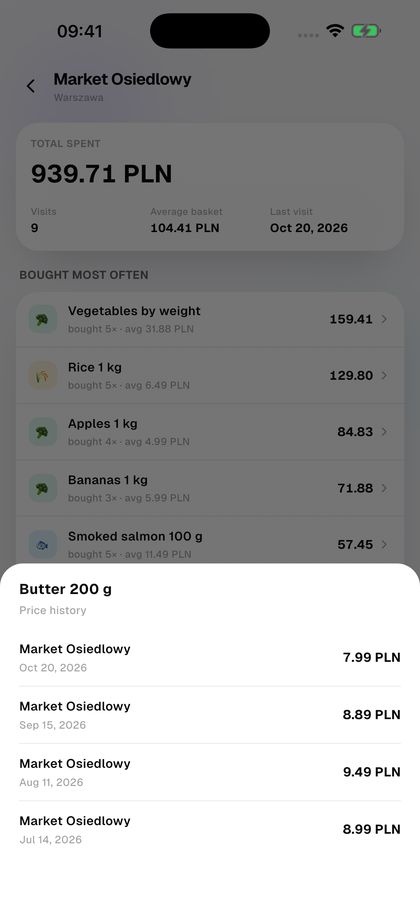
  4. Check how a product's price has changed.

    4Check how a product's price has changed.

    receipt → Visit to this shop → item

STORY 6 / 6 · CROATIA · 7 DAYS THIS IS WHERE IT ALL BEGAN
The boat
kitty
The tin on your phone.
SAME TRIP · WITH SPLITKO
SPLIT · SATURDAY
Everyone pays into the tin in the app.
DAY 6
Sailing · Croatia
LEFT IN THE TIN · 6 PEOPLE
312.00 PLN
of 4,800.00 PLN
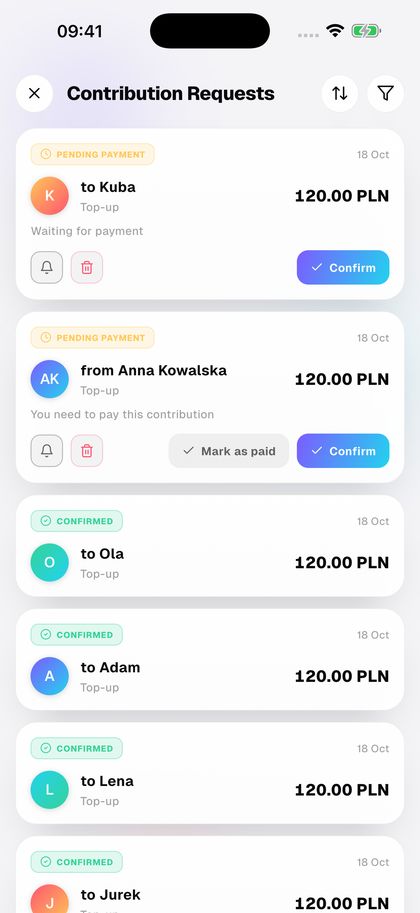
TOP-UP 120.00 · 4 OF 6
K
Kubapending
T
Youpending
J
Jurek, Lena, Adam, Ola✓
Remind
DAY 7
We know what's left. Sailing on.
DO IT YOURSELF · 4 STEPS

Run the boat kitty in Splitko

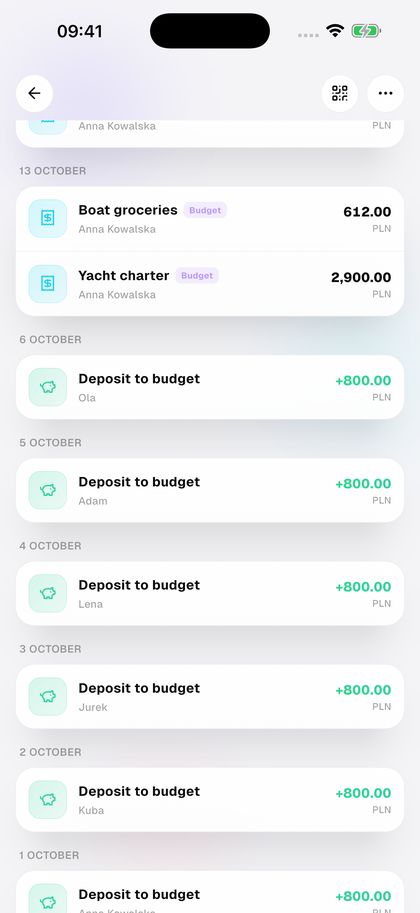
  1. Everyone pays into the trip budget.

    1Everyone pays into the trip budget.

    BUDGET → Deposit to budget
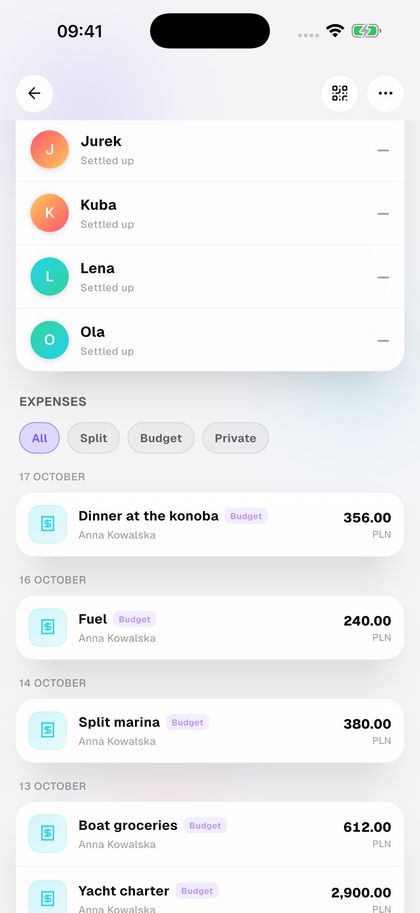
  2. Pay expenses straight from the budget.

    2Pay expenses straight from the budget.

    Add Expense → Budget
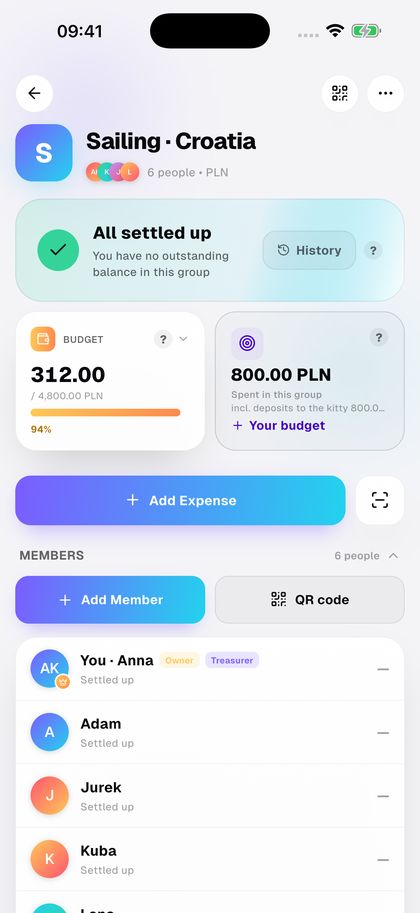
  3. See how much is left.

    3See how much is left.

    BUDGET card

  4. Running low? Ask everyone to top up.

    4Running low? Ask everyone to top up.

    BUDGET → Contribution Request